
LG OSMS GUIDE FOR CUSTOMERS
How to Fill Out Your Order Form
STEP 1 - Creating your order
Provide the following details for your agent:
Full Name (as per NRIC)
NRIC number
Contact number
Installation Area and Postcode
Product(s) you are interested
Preferred Subscription Year - 5 Or 7 years
Preferred Service - Regular, Combined or Self-service
STEP 2 - Receiving Order Link
Once your agent enters your details into the LG system, you will receive an order link from LG via WhatsApp.
Click the link to proceed.
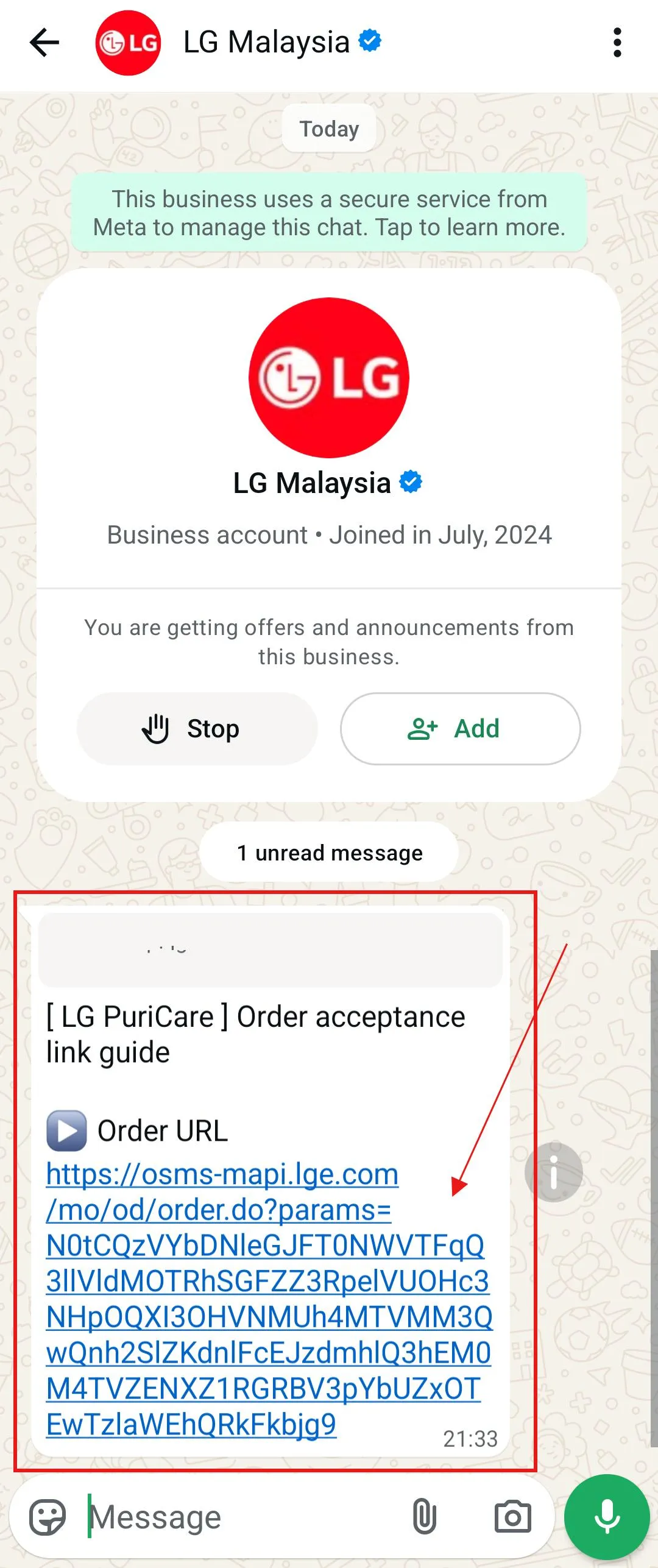
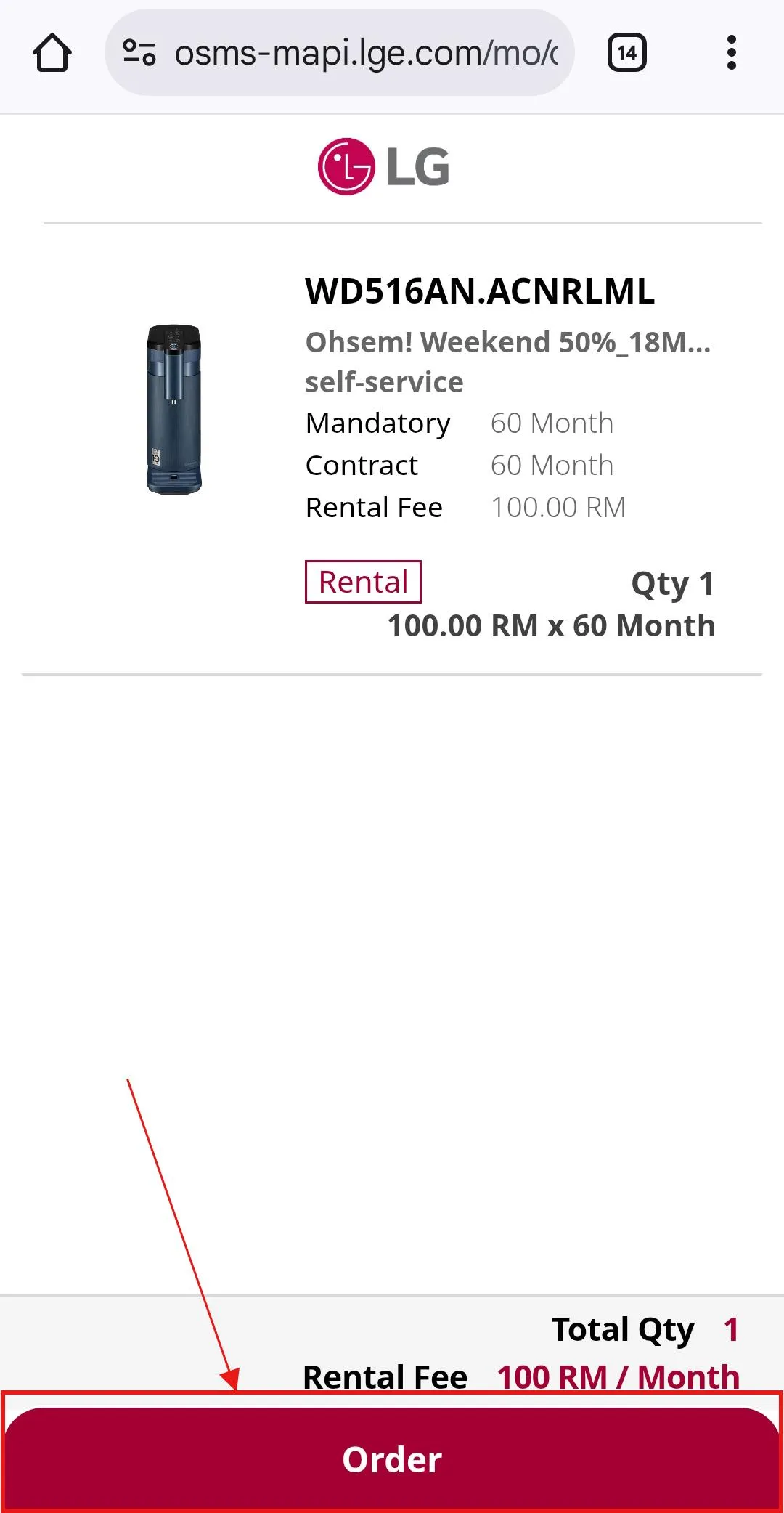
STEP 3 - Opening the LG Order Page
You will see the LG Order Page after clicking the link from your whatsapp.
Click on the Order button to proceed.
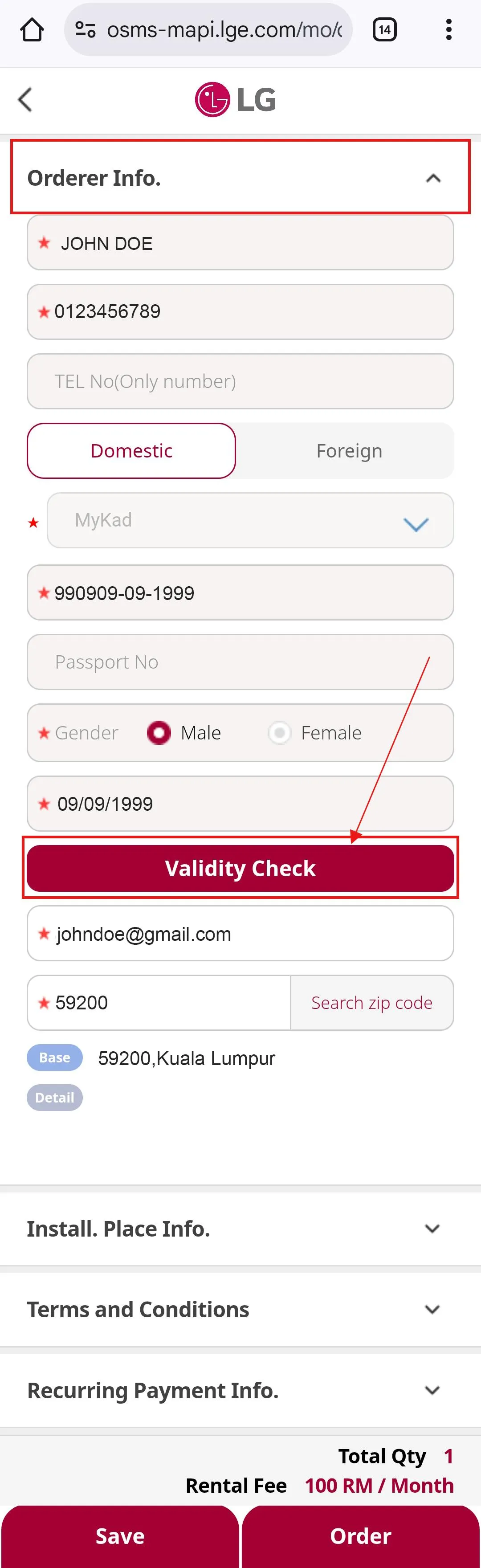
STEP 4 - ORDERER INFO. SECTION
Click the Validity Check button to proceed.
If you’re using Safari on an iPhone, please turn off the pop-up blocker before you proceed with the Validity Check by following these steps: Go to Settings > Safari > General > Block Pop-ups, and set it to “Off”.
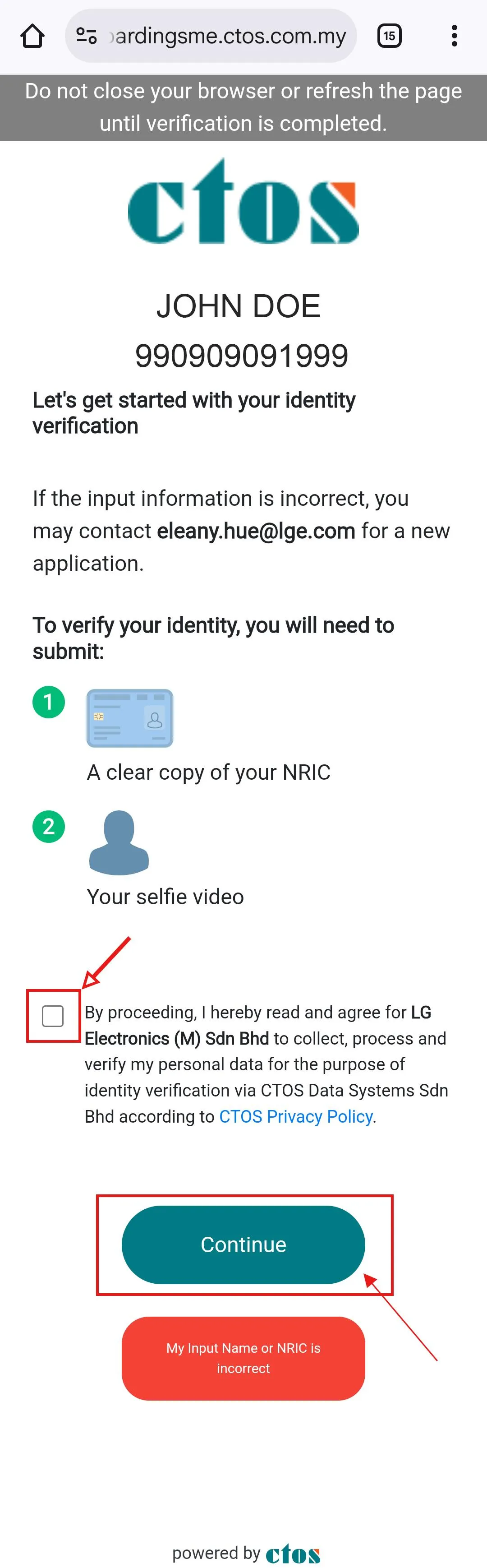
STEP 4.1 - ORDERER INFO. (CTOS Page)
You will be re-direct to CTOS page for Identity Verification.
Tick the box and click Continue to proceed.
STEP 4.1.1 - ORDERER INFO. (CTOS Page - Upload NRIC)
You are required to upload your NRIC front & back.
Please make sure NRIC uploaded as per CTOS requirements.
Click Get Started to proceed.
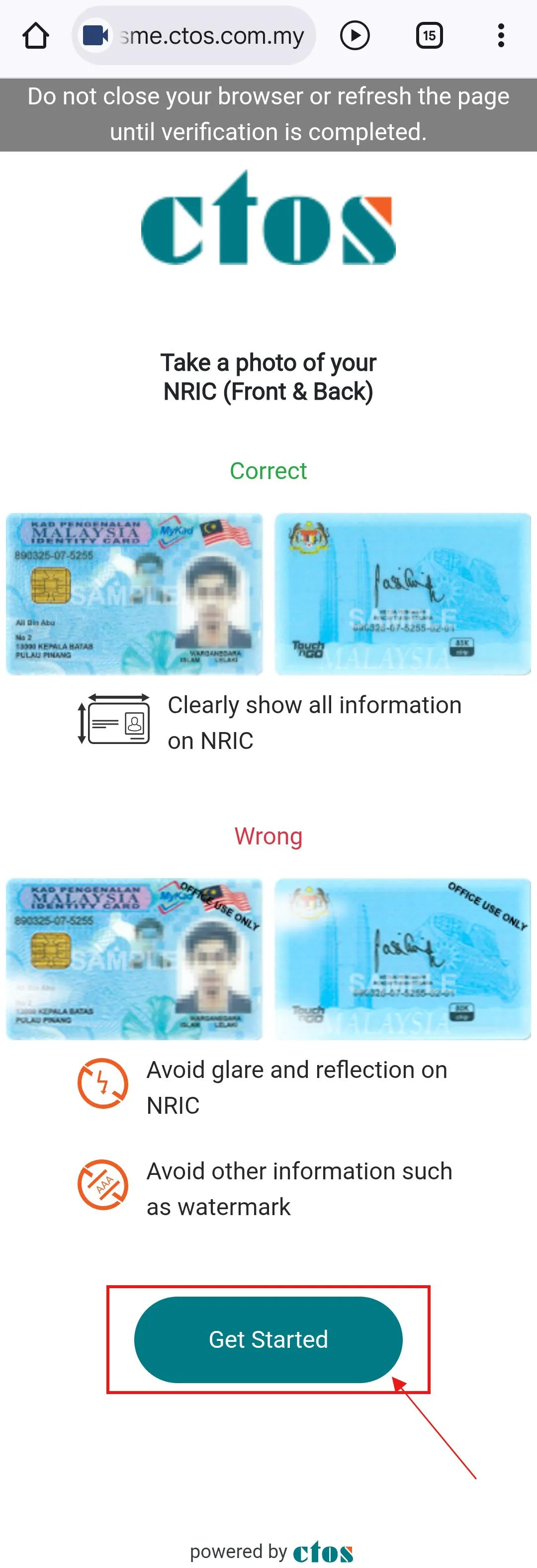
STEP 4.1.2 - ORDERER INFO. (CTOS Page - Upload NRIC)
Take a photo of your front & back NRIC according to the box provided.
Then click Confirm.
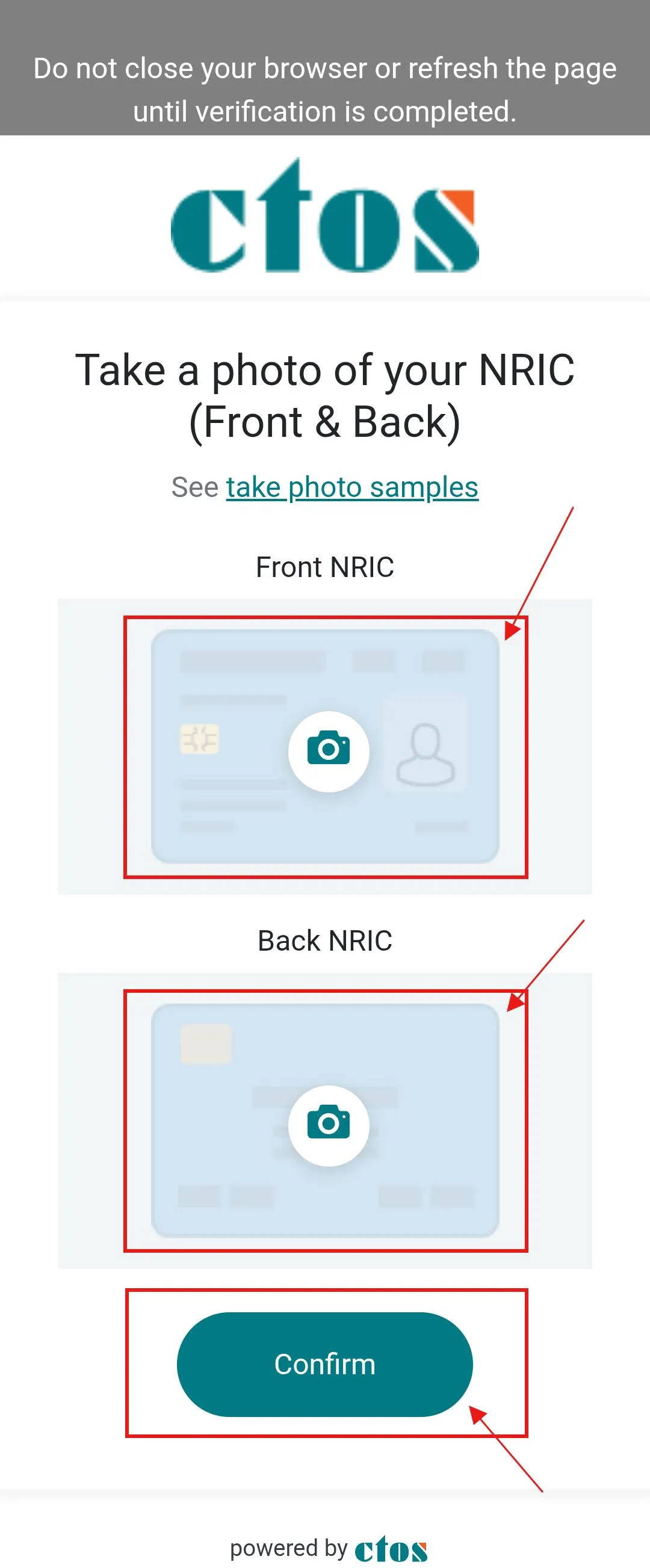
STEP 4.1.3 - ORDERER INFO. (CTOS Page - Record Selfie Video)
Record a 2 to 4 seconds selfie video.
Read the instruction provided on the page.
Click Start Recording once you are ready.
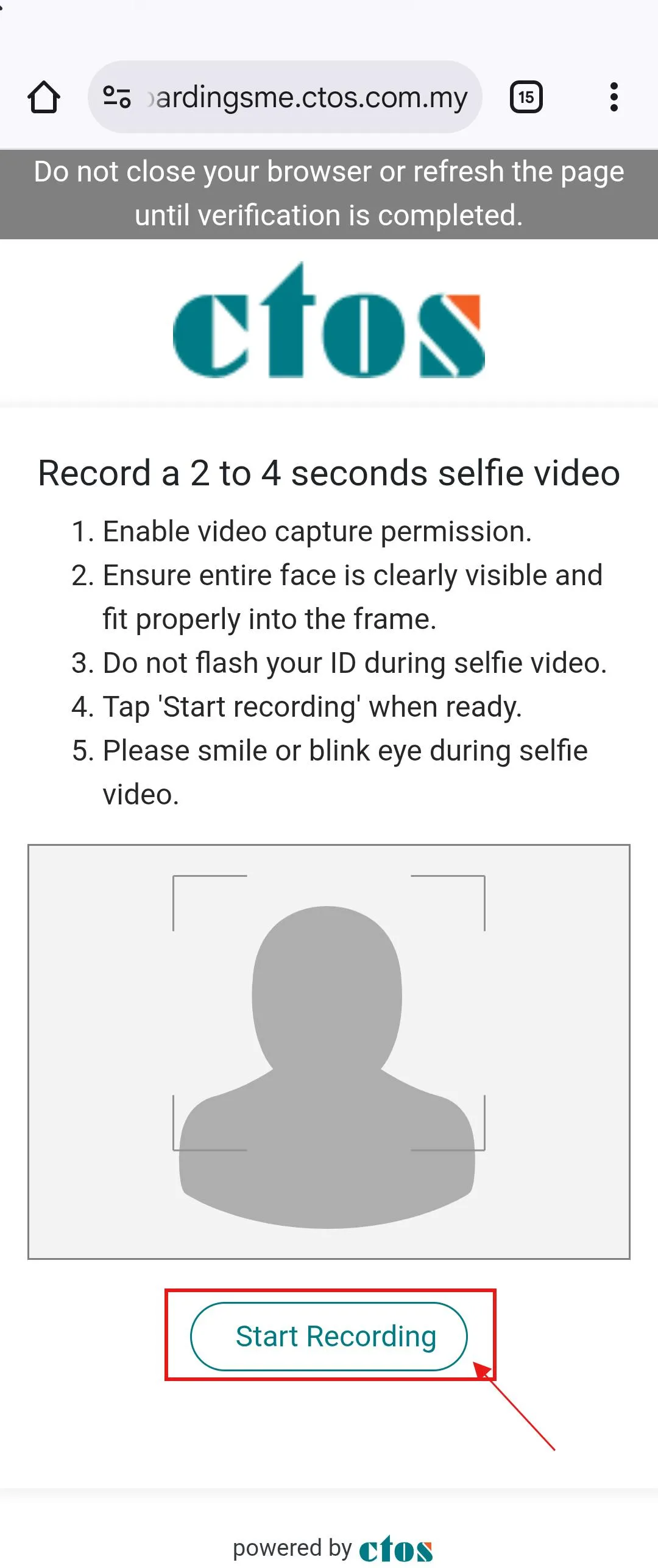
STEP 4.1.4 - ORDERER INFO. (CTOS Page - Record Selfie Video)
After recorded the video, click the Confirm button to proceed.
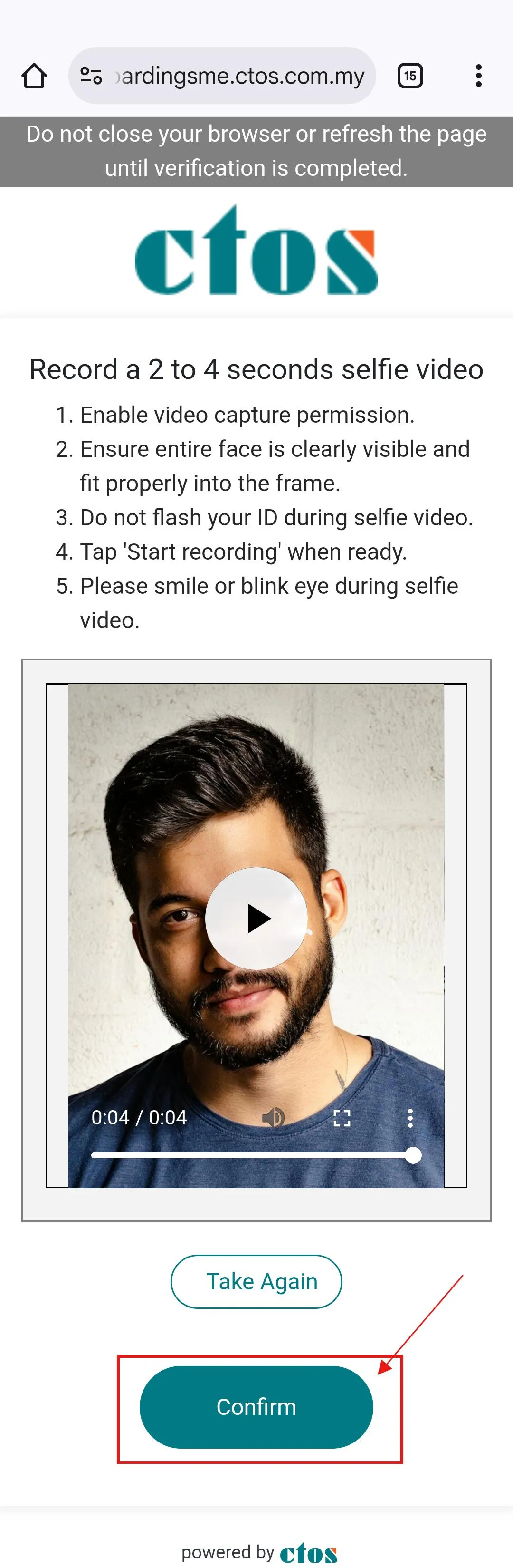
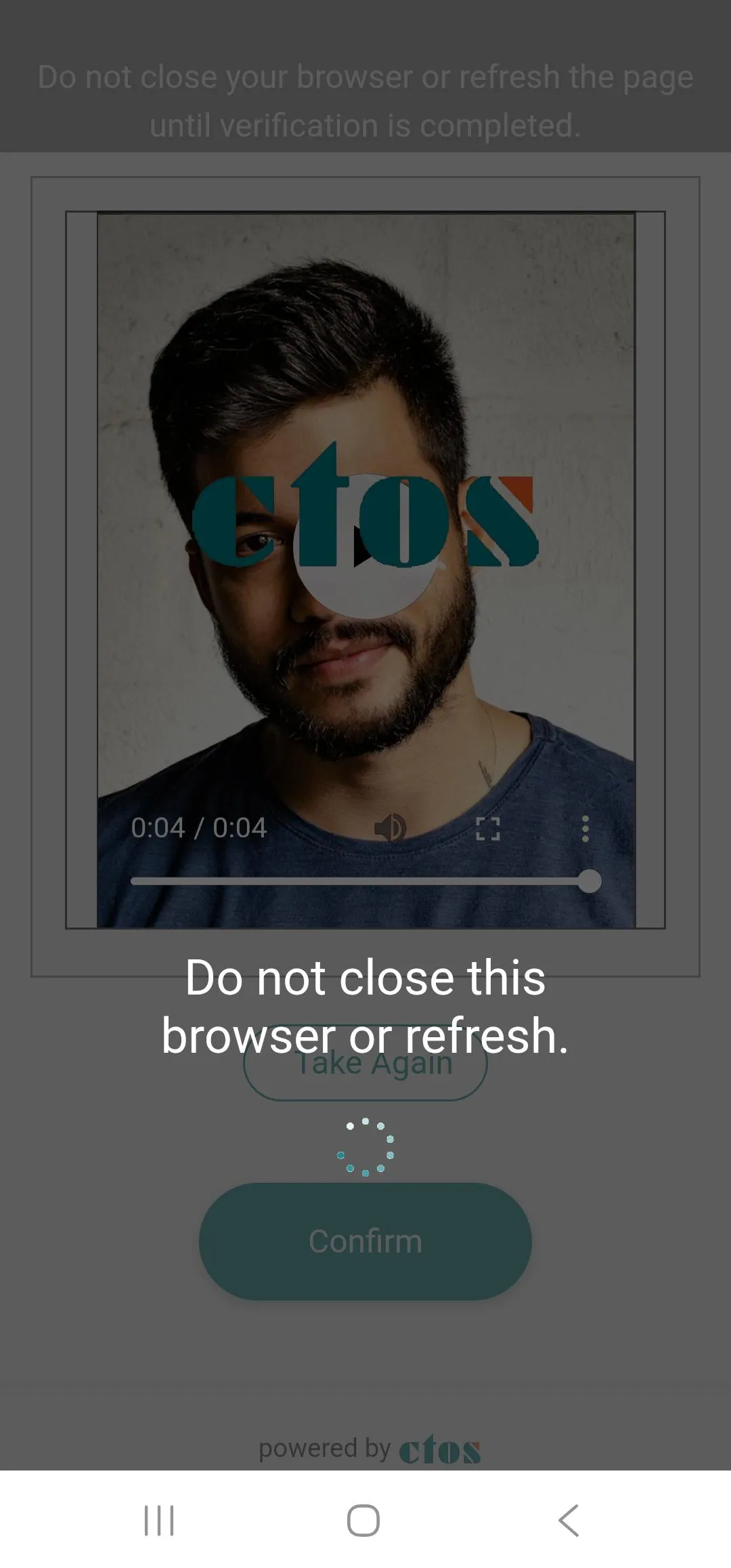
STEP 4.1.5 - ORDERER INFO. (CTOS Page - Verification)
Wait for your identity to be verified.
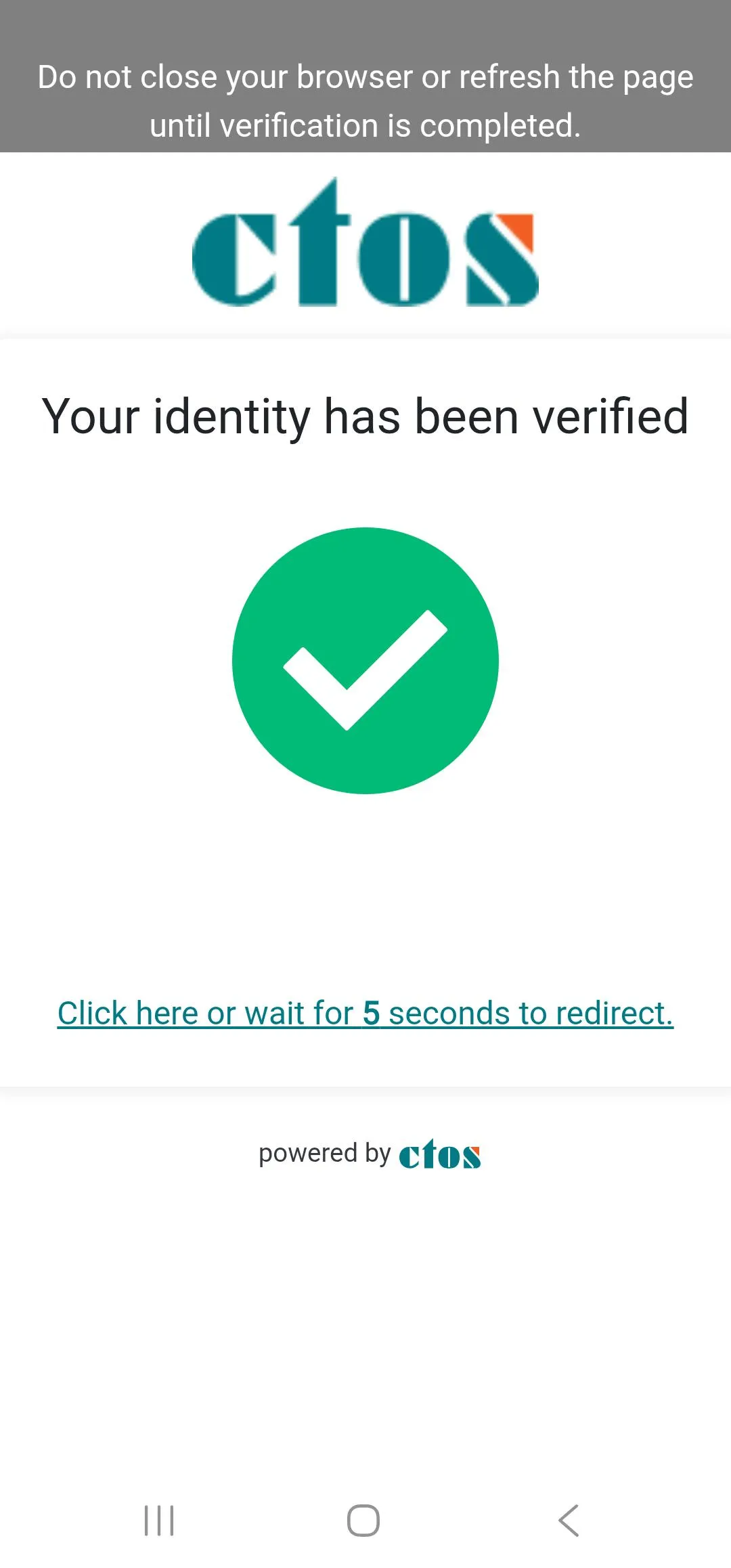
STEP 4.1.6 - ORDERER INFO. (CTOS Page - Successful)
Once you identity has been verified, you will be redirected back to LG Order page.
STEP 4.2 - ORDERER INFO. (Fill Installation Address)
Click the Search Zip code button.

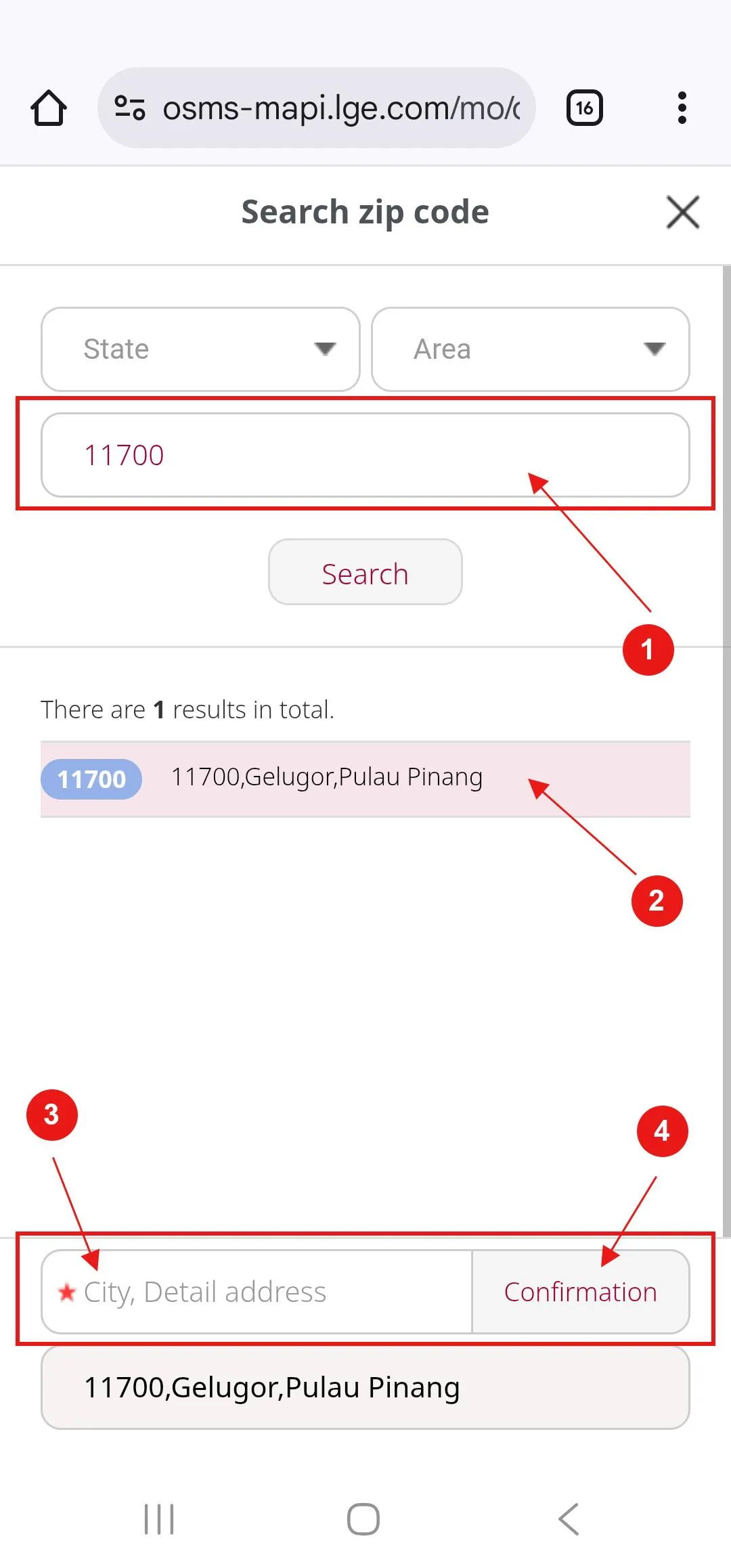
STEP 4.2.1 - ORDERER INFO. (Fill Installation Address)
Enter your postcode.
Select your postcode and area from the search result.
Fill your installation address.
Click the Confirmation button.
STEP 4.2.2 - ORDERER INFO. (Fill Installation Address)
This complete the Orderer Info. Section.

STEP 5 - INSTALL PLACE INFO.
Tick the box.
Click on Calendar button and select your preferred installation date.
Fill your request if you have any (example: need to register technician name and car plate) or leave it blank.
This complete the Install Place Info. Section.

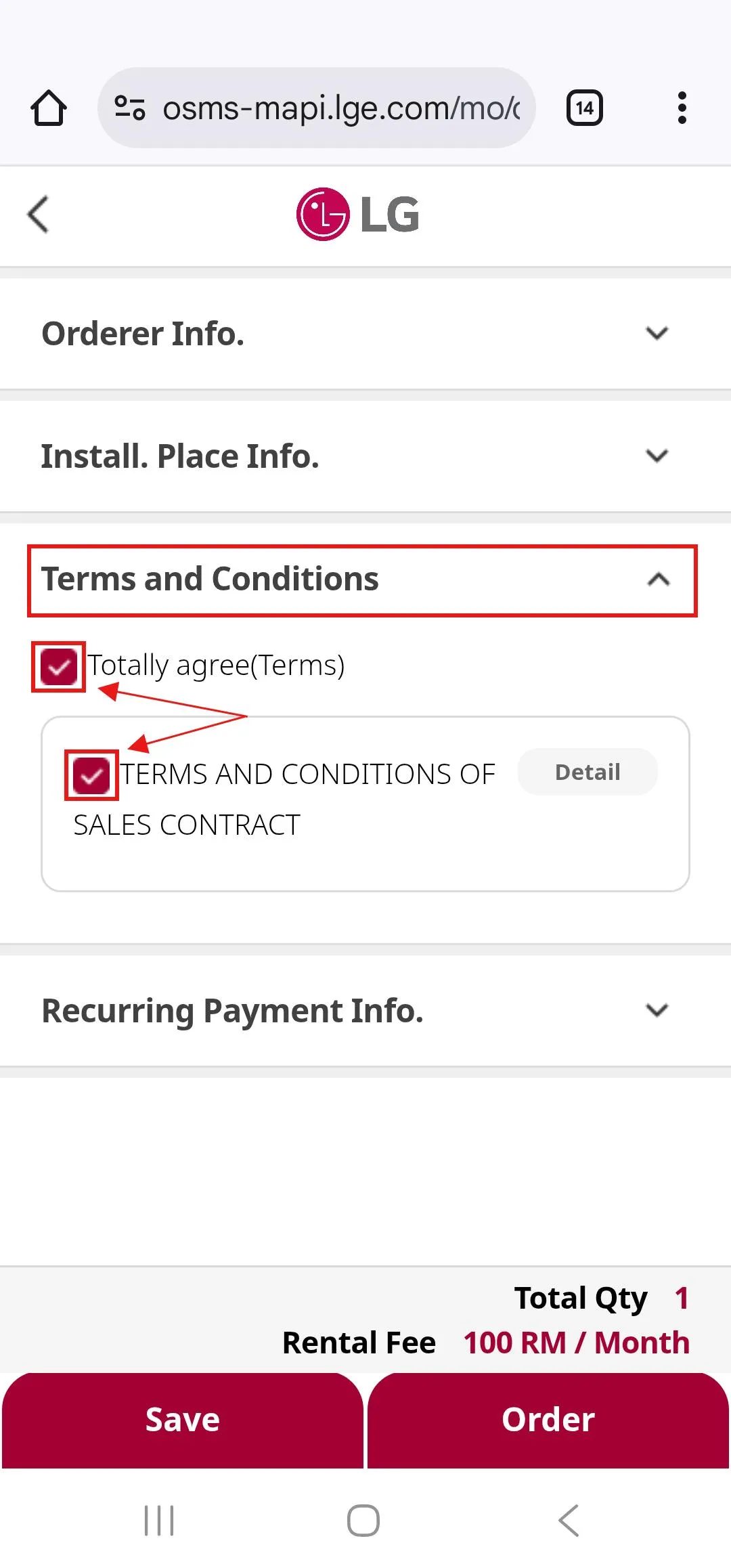
STEP 6 - TERMS AND CONDITIONS
Tick both the box.
This complete the Terms and Conditons Section.
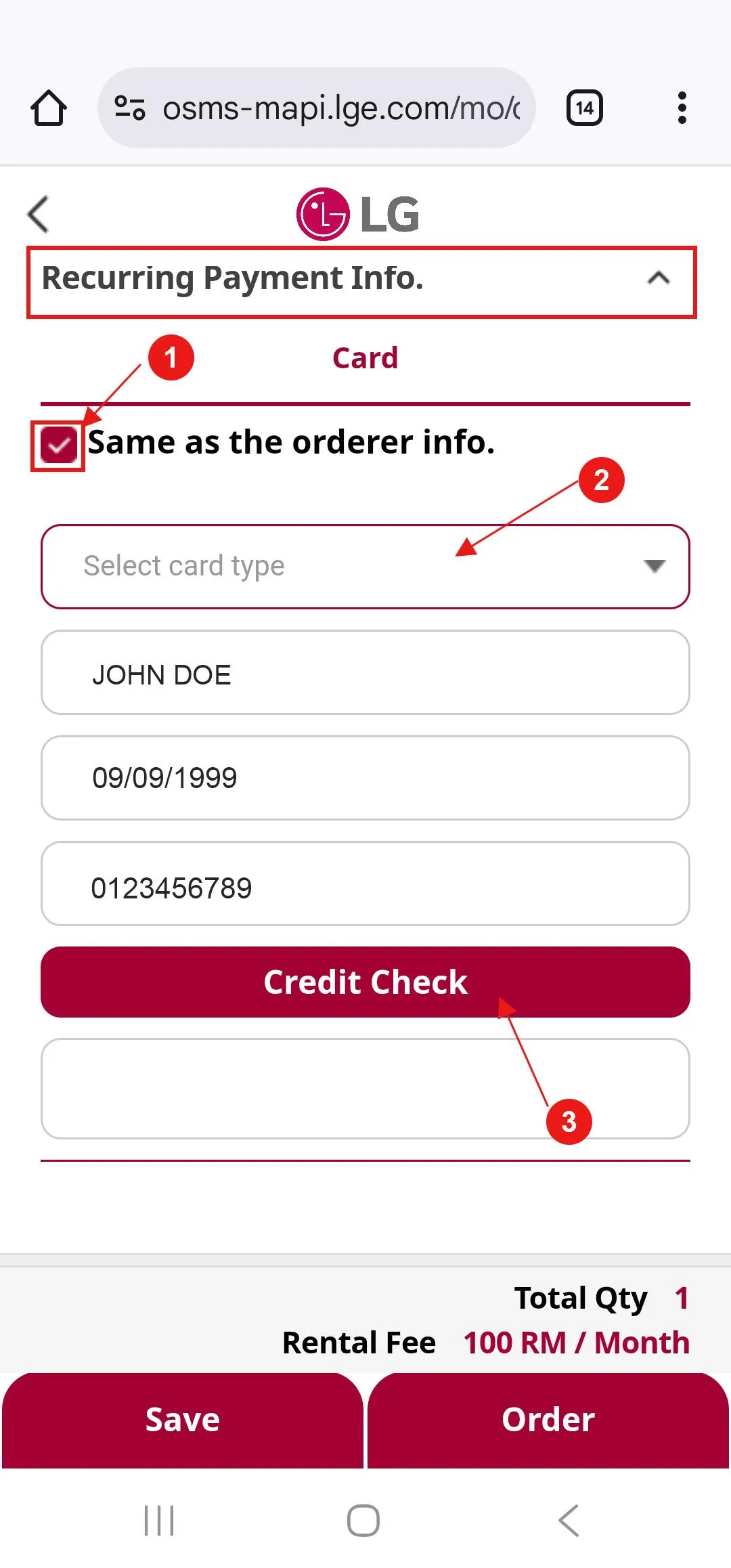
STEP 7 - RECURRING PAYMENT INFO.
Tick the Same as the order info. box.
Select your card type - Debit or Credit.
Click the Credit Check button to proceed.
After clicking the Credit Check button, you will be re-direct to payment page.
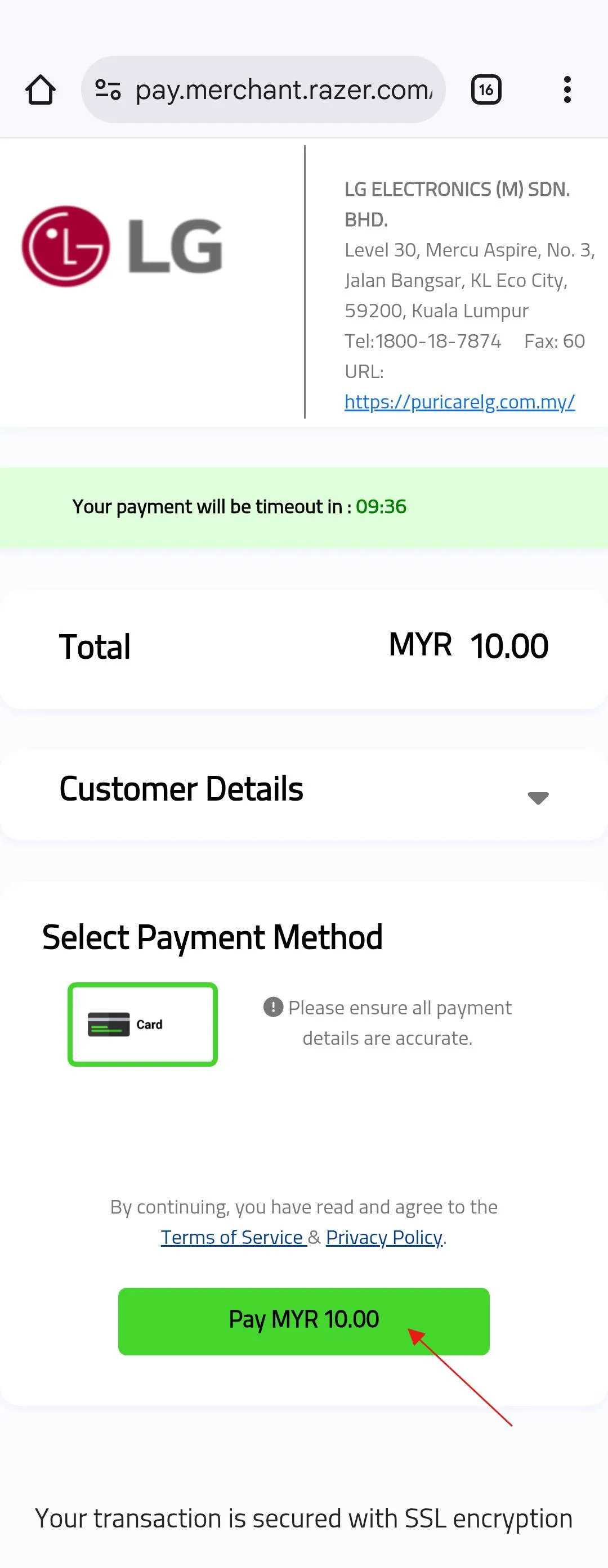
STEP 7.1 - RECURRING PAYMENT INFO. (PAYMENT PAGE)
You are required to pay RM10 for the purpose of card validation.
This amount will be refunded to you within 14 working days.
Click the Pay RM10.00 button to continue.
STEP 7.1.1 - RECURRING PAYMENT INFO. (PAYMENT PAGE)
Fill your Card Number, Expiry Date and CVV number and click the Pay RM10.00 button to proceed.
Once payment is successful you will be re-direct back to LG Order page.

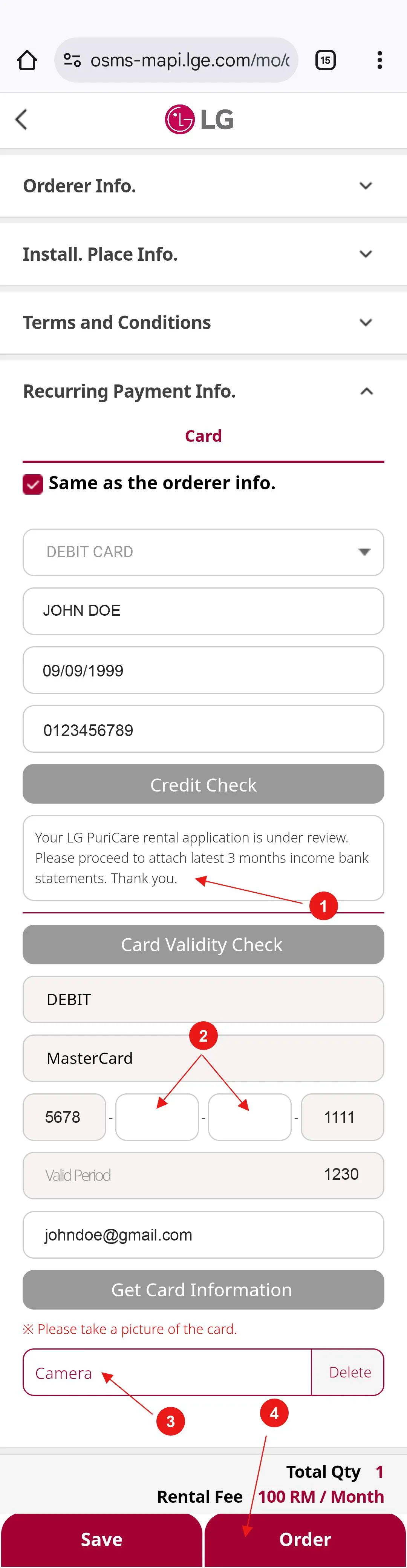
STEP 7.2 - RECURRING PAYMENT INFO.
Check the remark in this box. You may be required to attach your latest 3 months income bank statements.
Enter the middle 8 digits of your card number in the box.
Take a photo of your card.
Click Order button to complete your order.
This complete the Recurring Payment Info. Section.
STEP 8 - ORDER COMPLETION PAGE
You have successfully submitted your order once this page appears.
An LG staff member will contact you within 1–2 working days to verify your order details.
